
Alias Extractor
The Alias Extractor feature allows you to export all email aliases from your Google Workspace domain to a CSV file with a single click.
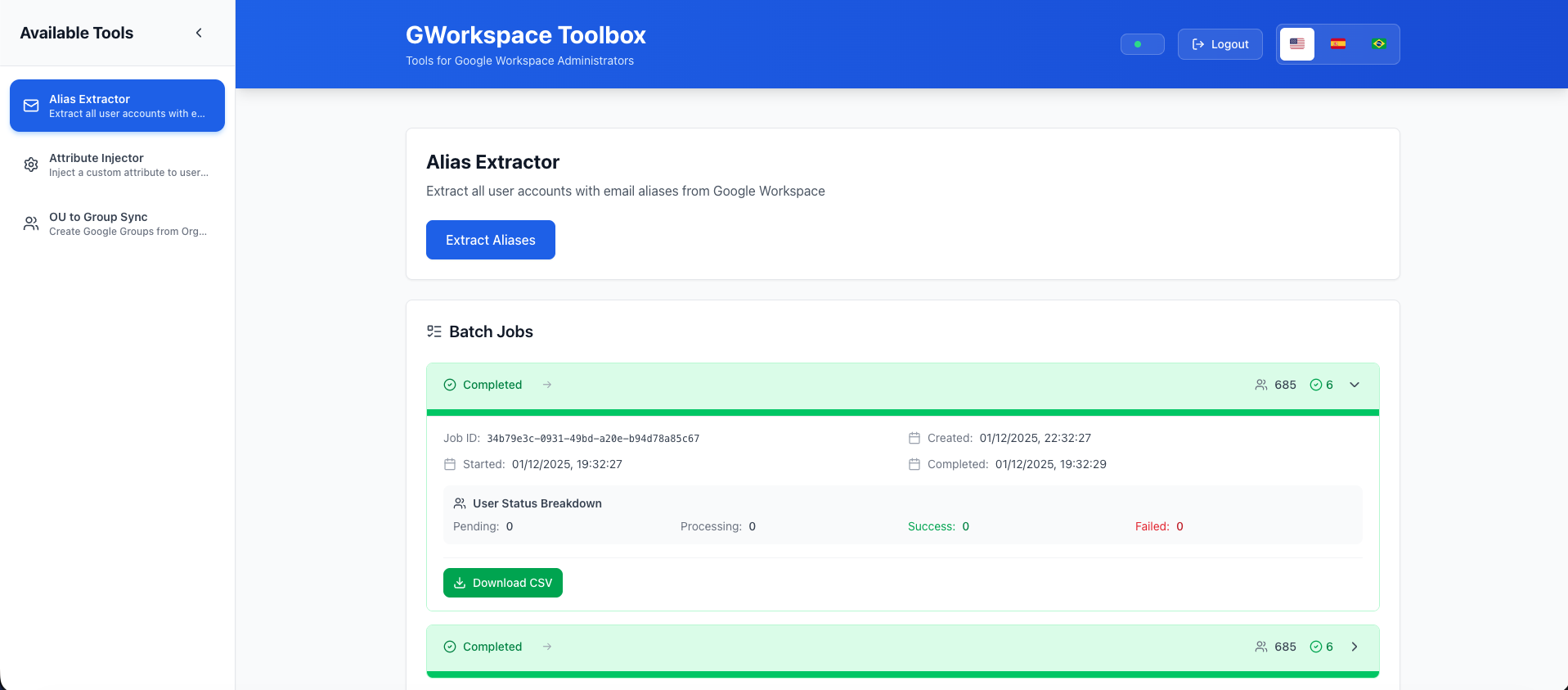
Overview
Email aliases are alternative email addresses that deliver to a user's primary mailbox. Managing and tracking these aliases across a large organization can be challenging. The Alias Extractor automates this process, giving you complete visibility of all aliases in your domain.
How It Works
- Authenticate: Ensure you're authenticated with admin credentials
- Click Extract: Press the "Extract Aliases" button
- Processing: The tool queries Google Workspace for all users and their aliases
- Download: Receive a CSV file with all alias information
CSV Output Format
The generated CSV file contains the following columns:
| Column | Description | Example |
|---|---|---|
| Primary Email | User's primary email address | emily.johnson@school.edu |
| Alias | The alias email address | e.johnson@school.edu |
Sample CSV Output
Primary Email,Alias
emily.johnson@school.edu,e.johnson@school.edu
emily.johnson@school.edu,ejohnson@school.edu
michael.chen@school.edu,m.chen@school.edu
sarah.williams@school.edu,swilliams@school.edu
Use Cases for Schools
Student Information System Integration
Export aliases to match records between Google Workspace and your SIS (PowerSchool, Infinite Campus, etc.)
Email Migration Planning
Before migrating to a new email system, export all aliases to ensure student and staff aliases are preserved.
Yearbook and Directory Publishing
Generate accurate email listings for school directories and yearbooks.
Alumni Records
Document email aliases for graduating students before archiving their accounts.
Cleanup Operations
Identify unused or redundant aliases, especially after student transfers or staff changes.
Parent Communication Lists
Identify all email addresses where parents can reach teachers and staff.
Performance
- Small domains (< 100 users): ~10-30 seconds
- Medium domains (100-1,000 users): ~30-90 seconds
- Large domains (1,000+ users): Several minutes
The tool processes users in batches and shows progress in real-time.
Permissions Required
The Alias Extractor requires the following Google Workspace permissions:
https://www.googleapis.com/auth/admin.directory.user.readonly
This read-only permission allows the application to:
- List all users in the domain
- Read user email aliases
- No write or modification capabilities
Best Practices
Regular Exports
Schedule regular alias exports (monthly or quarterly) to maintain current documentation.
Version Control
Save exported CSV files with timestamps for historical tracking:
aliases-2024-01-15.csvaliases-2024-02-15.csv
Review and Cleanup
Periodically review exported aliases to identify:
- Unused aliases for removal
- Inconsistent naming patterns
- Potential security concerns
Integration
Import the CSV data into your:
- CMDB (Configuration Management Database)
- Documentation systems
- Monitoring tools
Troubleshooting
No Aliases Found
If the CSV is empty or missing expected aliases:
- Verify you're authenticated as a domain administrator
- Check that users actually have aliases configured
- Ensure the Admin SDK API is enabled in Google Cloud Console
Timeout Errors
For very large domains:
- The operation may take several minutes
- Ensure stable internet connection
- Check Docker container has sufficient resources
Permission Denied
If you see permission errors:
- Re-authenticate with admin credentials
- Verify OAuth client has correct scopes
- Check user has domain admin privileges
API Rate Limits
Google Workspace Admin SDK has rate limits:
- 2,400 requests per minute per project
- The Alias Extractor automatically handles rate limiting
- Large domains may experience throttling (automatically retried)
Privacy Considerations
The exported CSV contains:
- All user primary email addresses
- All alias email addresses
Security recommendations:
- Store CSV files securely
- Limit access to exported files
- Delete exports when no longer needed
- Never commit CSV files to version control
Technical Details
Implementation
- Uses Google Admin SDK Directory API
- Pagination for large result sets
- Error handling with automatic retries
- Progress tracking for long operations
Output Encoding
- UTF-8 encoding
- RFC 4180 compliant CSV format
- Excel and Google Sheets compatible
Next Steps
- Learn about Attribute Injector
- Explore OU Group Sync
- Read the FAQ